

 PIPAVO Team
Learn how to choose a regulated forex broker and compare MT4, MT5 and cTrader by fees, tools, execution, safety and usability.
In this article
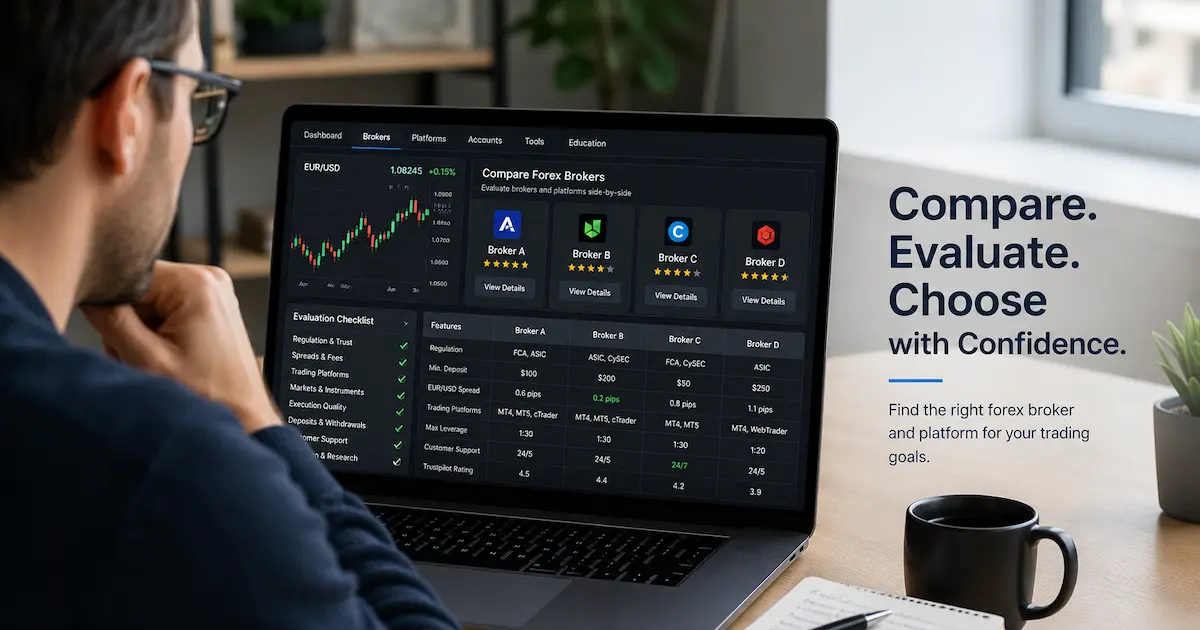
Choosing the right forex broker and platform affects your trading costs, execution quality, risk controls, and overall trading experience. A good broker should be properly regulated, transparent about fees, and compatible with a platform that fits your trading style. This guide explains how to choose a forex broker, compare MT4, MT5, and cTrader, and avoid common red flags before opening a live account.
Why Choosing the Right Forex Broker Matters
A forex broker is the company that gives you access to currency markets, usually through a trading platform such as MetaTrader 4, MetaTrader 5, or cTrader. The platform is where you analyze charts, place orders, manage trades, and monitor risk.
The broker and the platform work together, but they are not the same thing. A strong platform cannot fix a weak or untrustworthy broker. Likewise, a regulated broker may still offer a platform that does not suit your strategy, device, or workflow.
A good broker should help you trade with clear pricing, reliable order execution, and reasonable protections. It should not promise guaranteed profits, pressure you to deposit quickly, or make trading feel risk-free.

Step 1: Check Broker Regulation First
Regulation should be the first filter when choosing a forex broker. A regulated forex broker is supervised by a financial authority and must follow rules related to conduct, client money, disclosures, and operational standards. Regulation does not remove trading risk, but it can reduce the chance of dealing with an unlicensed or poorly supervised firm.
Examples of well-known regulators include the FCA in the United Kingdom, ASIC in Australia, CySEC in Cyprus, and CFTC/NFA in the United States. In the U.S., the CFTC states that certain firms and individuals involved in forex and derivatives must be registered, and traders can check registration before trading.
When reviewing regulation, do not rely only on a logo shown on the broker’s website. Search the regulator’s official register and confirm:
- The broker’s legal company name
- License or registration number
- Country or jurisdiction
- Whether the license covers retail forex or CFDs
- Whether there are warnings, restrictions, or disciplinary records
For U.S.-related forex firms, the NFA’s BASIC system is designed to let investors research the background of derivatives industry professionals and firms.
Broker Regulation Checklist

Before opening an account, ask:
- Is the broker regulated by a recognized financial authority?
- Is the company name on the regulator’s website the same as the broker’s website?
- Are retail clients protected by negative balance protection where applicable?
- Are client funds segregated from company funds?
- Does the broker clearly disclose risks, fees, and trading conditions?
Claim to source before publishing: If you mention a specific broker’s license, client protection scheme, compensation coverage, or leverage limit, verify it directly with the relevant regulator or the broker’s legal documents.
Step 2: Understand Broker Fees and Trading Costs
Forex trading costs are not limited to spreads. A low advertised spread may look attractive, but the total cost can include commissions, overnight financing, slippage, conversion fees, withdrawal fees, and inactivity fees.
The most common costs are:
Spread
The spread is the difference between the bid and ask price. A tighter spread usually means lower trading cost, especially for short-term traders. However, spreads can widen during news events, low liquidity periods, or volatile market conditions.
Commission
Some brokers offer raw spreads with a separate commission per trade. This may suit active traders, but beginners should calculate the all-in cost before choosing an account type.
Swap or Overnight Financing
If you hold positions overnight, the broker may apply swap charges or credits. These vary by currency pair, position direction, interest rate environment, and broker policy.
Slippage
Slippage occurs when your order is filled at a different price than expected. It can be positive or negative. It is more common during fast markets, news releases, and low-liquidity periods.
Non-Trading Fees
These may include deposit fees, withdrawal fees, currency conversion fees, account maintenance fees, or inactivity charges.

A trustworthy broker should make its pricing easy to understand. If the fee structure is unclear, overly promotional, or difficult to find, treat it as a warning sign.
Step 3: Compare MT4, MT5, and cTrader
The best forex trading platform depends on how you trade. Some traders prefer simplicity and a large community of existing indicators. Others need multi-asset tools, deeper market data, or more advanced order functionality.
MetaTrader 5 is described by MetaQuotes as a multi-asset platform for forex, stocks, and futures, with tools for technical analysis, algorithmic trading, and copy trading. cTrader is positioned as a forex and CFD trading platform available across desktop, web, and mobile devices.
MT4: Popular and Familiar
MetaTrader 4, or MT4, remains widely used in retail forex because it is familiar, lightweight, and supported by many brokers. It is often preferred by traders who mainly trade forex and use Expert Advisors, custom indicators, or simple chart-based strategies.
MT4 may suit you if:
- You mainly trade forex
- You want a large community of indicators and EAs
- You prefer a simple interface
- Your broker offers stable MT4 execution
- You are following older trading education that uses MT4 examples
However, MT4 is older than MT5 and may feel limited for traders who want more asset classes, built-in tools, or modern market-depth features.
MT5: More Modern and Multi-Asset
MT5 is a newer MetaTrader platform designed for multiple markets. It includes more timeframes, more built-in technical indicators, more order types, and a more advanced strategy tester than MT4. MetaQuotes describes MT5 as supporting forex, stocks, and futures markets.
MT5 may suit you if:
- You want access to more asset classes
- You need more built-in timeframes and indicators
- You use algorithmic trading and backtesting
- You prefer a more modern MetaTrader environment
- Your broker offers better conditions on MT5 than MT4
For many new traders, MT5 is a practical choice if the broker supports it well. The platform is more future-facing, but some older MT4 indicators or Expert Advisors may not be directly compatible.
cTrader: Clean Interface and Advanced Order Features
cTrader is known for its clean design, web-based access, and trader-friendly interface. It is often popular with traders who value market depth, order transparency, and a modern platform experience. cTrader’s own download page states that it is available on desktop, web, and mobile and recommends trying a demo account before going live.
cTrader may suit you if:
- You prefer a cleaner, more modern interface
- You trade manually and want efficient order control
- You value web and mobile access
- You want strong charting and market-depth tools
- Your broker offers competitive cTrader pricing
The main limitation is availability. Not every broker offers cTrader, and third-party tools may be less widely available than in the MetaTrader ecosystem.

MT4 vs MT5 vs cTrader: Quick Comparison
| Platform | Best For | Key Strength | Possible Limitation |
|---|---|---|---|
| MT4 | Forex-focused traders | Large community, many EAs and indicators | Older platform, fewer modern features |
| MT5 | Multi-asset and algo traders | More tools, timeframes, order types, strategy testing | MT4 tools may not be compatible |
| cTrader | Manual traders and clean UX | Modern interface, web access, order control | Fewer brokers and third-party tools |
There is no single best forex platform for everyone. The right choice depends on your broker, strategy, device, experience level, and whether you trade manually or use automation.
Step 4: Evaluate Execution Quality
Execution quality affects how your orders are filled. Even if a broker advertises tight spreads, poor execution can increase real trading costs.
Look at:
Order Speed
Fast execution matters most for scalpers, day traders, and news traders. Long-term traders may be less affected, but order reliability still matters.
Slippage History
Some slippage is normal, especially during volatile markets. What matters is whether slippage seems excessive, one-sided, or inconsistent with market conditions.
Requotes and Rejections
Frequent requotes or rejected orders can make trade management difficult. This is especially important if you use stop-loss orders, pending orders, or short-term strategies.
Server Stability
Platform freezes, delayed charts, and login failures can create serious problems when markets are moving quickly.

Claim to source before publishing: Any statement about a broker’s average execution speed, slippage rate, liquidity providers, or order fill quality should be supported by broker execution reports, audited data, or independent testing.
Step 5: Review Account Types and Leverage
Most brokers offer several account types. These may include standard accounts, raw spread accounts, commission-based accounts, Islamic swap-free accounts, professional accounts, and demo accounts.
Beginners should usually focus on simplicity, transparency, and risk control rather than maximum leverage. High leverage can magnify both gains and losses. It can also cause a small market move to have a large impact on account equity.
In some jurisdictions, regulators restrict how CFDs and similar products can be sold to retail clients. The FCA, for example, has rules and expectations for firms offering CFDs, including rolling spot forex, to retail consumers.
When comparing leverage, ask:
- What is the maximum leverage for retail clients?
- Does leverage vary by instrument?
- Are margin requirements clearly explained?
- Is negative balance protection available?
- Can you manually reduce account leverage?
A responsible approach is to choose leverage based on your risk plan, not on the highest amount offered.
Step 6: Test the Demo Account First
A demo account helps you test the platform before risking real money. It is useful for learning order types, checking spreads, testing indicators, and comparing platform usability.
Use the demo account to test:
- Chart speed and stability
- Order placement and modification
- Stop-loss and take-profit settings
- Mobile app usability
- Available indicators and drawing tools
- Watchlists and alerts
- Deposit and withdrawal process information
A demo account does not fully reflect live trading conditions. Live spreads, slippage, emotions, and liquidity can differ. Still, a demo is a practical first step before funding a live account.

Step 7: Check Deposits, Withdrawals, and Customer Support
A broker may look good on trading conditions but still create frustration with withdrawals or poor support. Before depositing a large amount, check the broker’s payment methods, processing times, identity verification requirements, and withdrawal rules.
Look for:
- Clear deposit and withdrawal policies
- Reasonable processing times
- No hidden withdrawal restrictions
- Secure payment methods
- Responsive support channels
- Support in your preferred language
- Clear complaint handling process
If possible, start with a smaller amount and test the full process before committing more capital. Avoid brokers that pressure you to deposit more, offer unrealistic bonuses, or make withdrawals difficult.
Red Flags When Choosing a Forex Broker
Be careful if you see any of these warning signs:
- Guaranteed profit claims
- “Risk-free forex trading” promises
- Pressure from account managers
- Unclear company name or location
- No verifiable regulation
- Withdrawal complaints with repeated patterns
- Bonus terms that make withdrawals difficult
- Fake awards, fake reviews, or copied license numbers
- No clear risk disclosure
- Extremely high leverage promoted as the main benefit
A broker should provide access to markets, not act like a salesperson promising financial success.

Simple Broker Selection Framework
Use a scoring system before opening an account. Give each category a score from 1 to 5.
Broker Selection Scorecard
| Category | What to Check | Score |
| Regulation | Verified license, official register, jurisdiction | 1–5 |
| Fees | Spread, commission, swap, non-trading fees | 1–5 |
| Platform | MT4, MT5, cTrader, mobile, web, tools | 1–5 |
| Execution | Speed, slippage, stability, order types | 1–5 |
| Risk Tools | Stop-loss, margin alerts, leverage control | 1–5 |
| Support | Response time, language, complaint handling | 1–5 |
| Funding | Deposit, withdrawal, processing, transparency | 1–5 |

A broker that scores poorly on regulation should usually be rejected, even if the platform or spreads look attractive.
Frequently Asked Questions
The best forex broker for beginners is usually a regulated broker with clear fees, strong customer support, a simple platform, and good risk-management tools. Beginners should avoid choosing a broker based only on high leverage or bonuses.
MT4 is popular for forex trading because it is simple and has a large community of indicators and Expert Advisors. MT5 offers more modern tools, more timeframes, and multi-asset support. The better choice depends on your broker, strategy, and platform preference.
cTrader can be suitable for beginners who prefer a clean interface and web-based access. However, beginners should first check whether their chosen broker offers cTrader with transparent pricing, stable execution, and proper support.
Check the broker’s legal company name and license number on the official website of the relevant regulator. Do not rely only on claims or logos on the broker’s website.
Yes. A demo account helps you learn the platform, test order types, and understand basic trade management. However, demo trading does not fully reflect live market conditions, slippage, or emotional pressure.
Conclusion + CTA
Choosing a forex broker is not only about finding the lowest spread or the most popular platform. Start with regulation, then compare fees, execution quality, platform features, account types, funding policies, and support. MT4 may suit forex-focused traders, MT5 may suit traders who want more modern multi-asset tools, and cTrader may suit traders who prefer a clean interface and advanced order control.
Before opening a live account, compare at least three regulated brokers, test a demo account, and review the full fee schedule. Trade only with money you can afford to risk, and use a written risk-management plan before placing your first live trade.
Risk Disclaimer
Forex and CFD trading involve a high level of risk and may not be suitable for all investors. Leverage can magnify both profits and losses. You may lose some or all of your invested capital. This article is for educational purposes only and does not provide financial advice, investment recommendations, or a guarantee of trading results. Always conduct your own research and consider seeking advice from a qualified financial professional before trading.